
FinTech · Payments
Nomod
A payments platform for creating shareable payment links, accepting online payments and reviewing transaction activity across a business.
Explore the experience ↓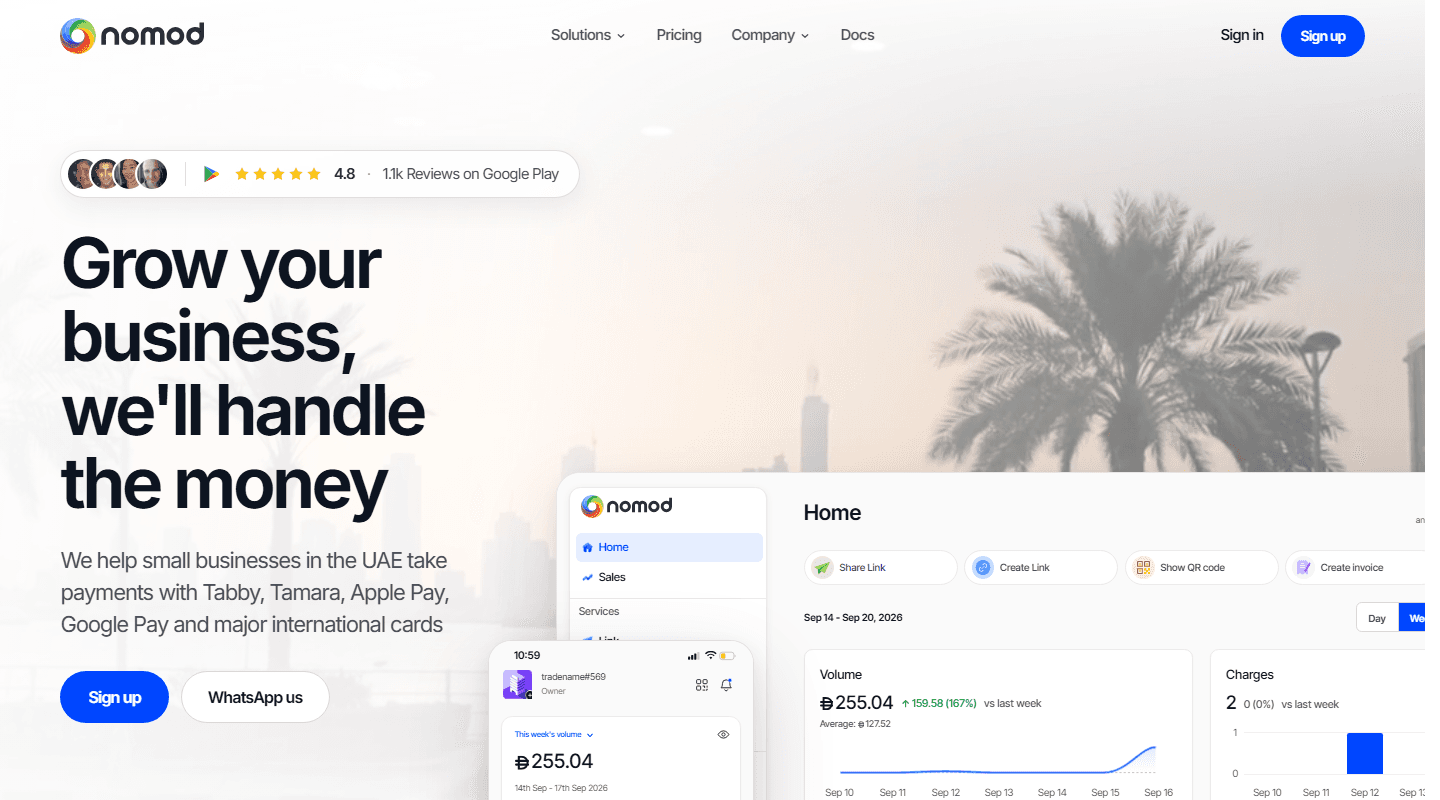
- Product
- Nomod
- Focus
- Payment links · Checkout · Operations
- Website
- Visit Nomod ↗
The product
A closer look at Nomod
Nomod gives businesses in the UAE connected ways to request payment, accept it online or in person, and review payment activity.
- Businesses create payment links with items, amounts, discounts and notes, then share them with customers through messaging channels.
- Customers can pay through supported cards and digital wallets, while the dashboard brings recent charges and payment status into one view.
- Invoices support payment reminders, and the public product connects to Shopify, WooCommerce, Zapier and custom software through its API.
The experience
Connected workflows
Follow the product journey from the first action through to completion.
Shareable payment links
A guided Link flow for defining an item, price and optional payment details before sharing the payment request.
The public Nomod flow lets a user create a Link, add items and options, then share it through WhatsApp, Instagram, email or another messaging channel.
- Create a Link
- Add item and amount
- Choose payment options
- Share with the customer
- The need
- A business taking orders through chat or social channels needs a simple way to turn a conversation into a payable request.
- The experience
- A remote customer can move from a message to a dedicated payment experience without a manually arranged card transaction.
Connected online checkout
Checkout connections for Shopify, WooCommerce, hosted checkout, websites and applications.
A business connects its store or creates an API key for hosted checkout. Orders then appear in the Checkout activity view with amount, store, currency and status.
- Connect the store or app
- Present payment options
- Customer completes checkout
- Review the order status
- The need
- Online stores and custom applications need a consistent payment step connected to their existing order journey.
- The experience
- Online orders and their payment state can be reviewed through one connected checkout experience.
Payment activity and status
A consolidated activity view for payments, refunds and transaction details across the account and team.
Nomod's documented activity journey shows transaction date, amount, payment method, type, team member and status, with filters for narrowing the list.
- Open activity
- Filter transactions
- Review status and method
- Open the payment detail
- The need
- Payments arriving through links, invoices, checkout and in-person collection can be difficult to reconcile across separate views.
- The experience
- Teams can review payment activity and identify paid, authorised, cancelled, failed or refunded transactions from one operational view.
Invoices, refunds and follow-up
Documented invoice and payment-management views with paid, unpaid, overdue and cancelled states plus refund controls.
Teams can create one-time or recurring invoices, monitor their status, open payment details and manage follow-up actions from the dashboard.
- Create invoice
- Track payment status
- Follow up or collect
- Refund when required
- The need
- Payment follow-up becomes fragmented when invoices, overdue balances and refunds are handled outside the main payment record.
- The experience
- The payment request, its current state and any refund or follow-up action remain connected in the operating workflow.
Explore more work