Case Studies

Real work. Real results for Irish businesses.

Every project starts with a problem worth solving. Here's how we've helped clients across Ireland replace broken processes, outdated sites, and stalled growth with digital systems that actually work.

AI Agents & AutomationWeb DevelopmentApp DevelopmentBranding & GraphicsDigital Marketing
Explore selected projects

Flagship projects

Four products. Four different challenges.

Food operations, mediation, AI video and payments. Explore the product, then open the details that matter to you.

FinTech · Payments04
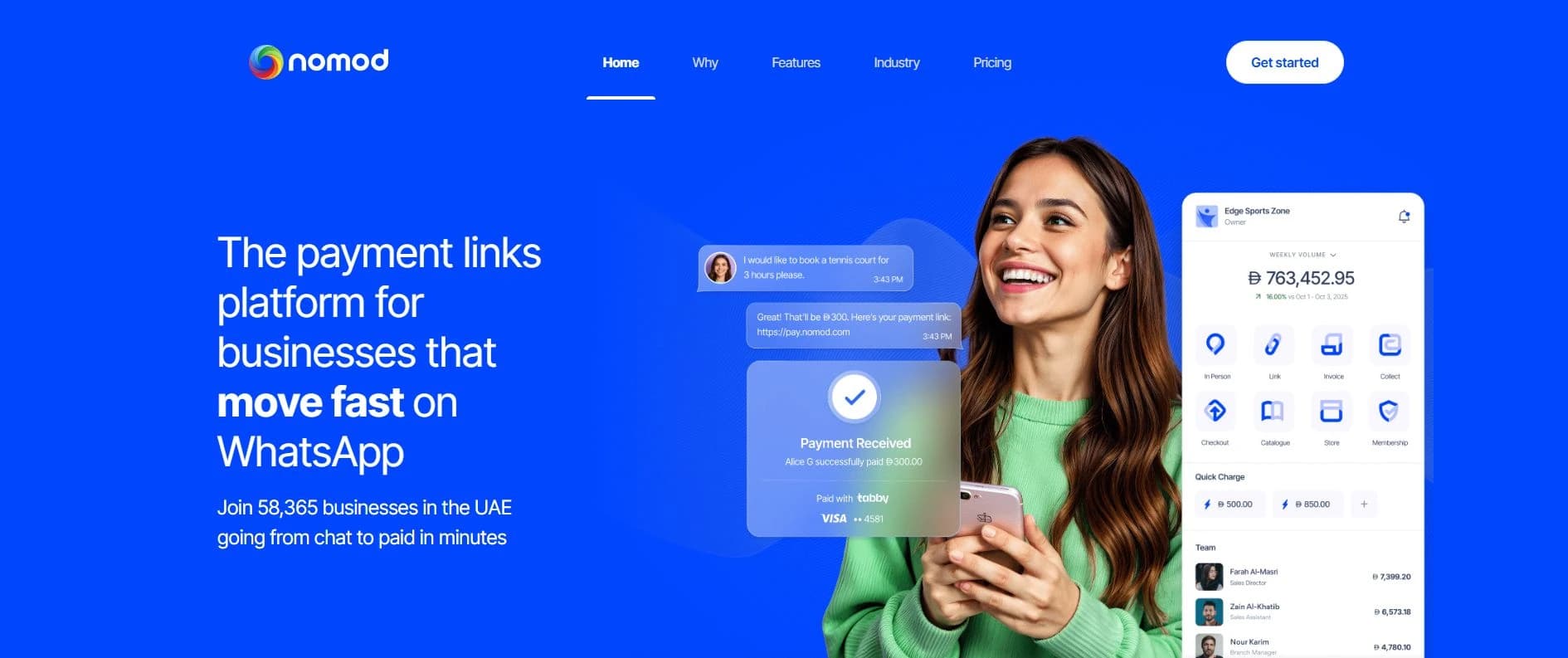
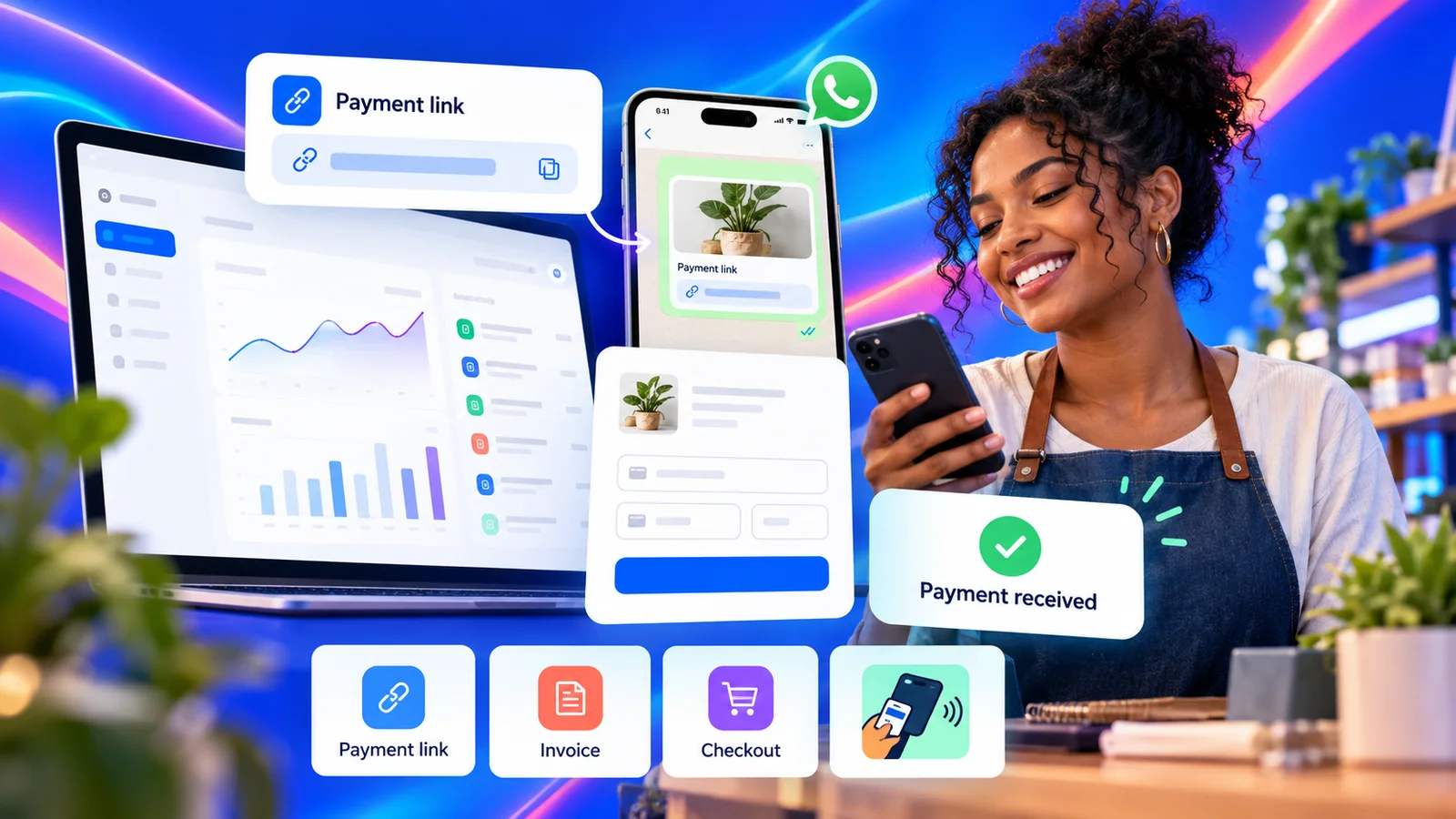
Nomod’s public payment links website with a mobile payments dashboard

Nomod

From a payment link to getting paid.

Payment links
Project overview

A payments platform for creating shareable payment links, accepting online payments and reviewing transaction activity across a business.

  • Payment links
  • Checkout
  • Operations

Outcomes we've driven for clients

0%
Less manual work with AI agents
0×
Faster time-to-hire for HR tech clients
0%
Bookings moved online for local businesses
0+
SaaS users onboarded at launch
0%
More direct reservations in 8 weeks
0×
Organic enquiry growth through SEO & content

Capabilities behind the work

One team, connected disciplines.

The specialists we combine to take a product from idea to a reliable launch.

AI Agents & Automation

Web Development

App Development

Branding & Graphic Design

Digital Marketing

E-commerce Development

UI/UX Design

Cloud Development

Forward Deployed Engineering

Cybersecurity

Technical detail

Explore featured flagship projects.

Start with a concise product overview, then open the verified implementation notes when you want the deeper delivery detail.

Project experience and implementation notes

Rafters includes repository-verified delivery detail. Claimbrite, DeepReel and Nomod document their public product journeys, with evidence labels and source links shown inside each note.

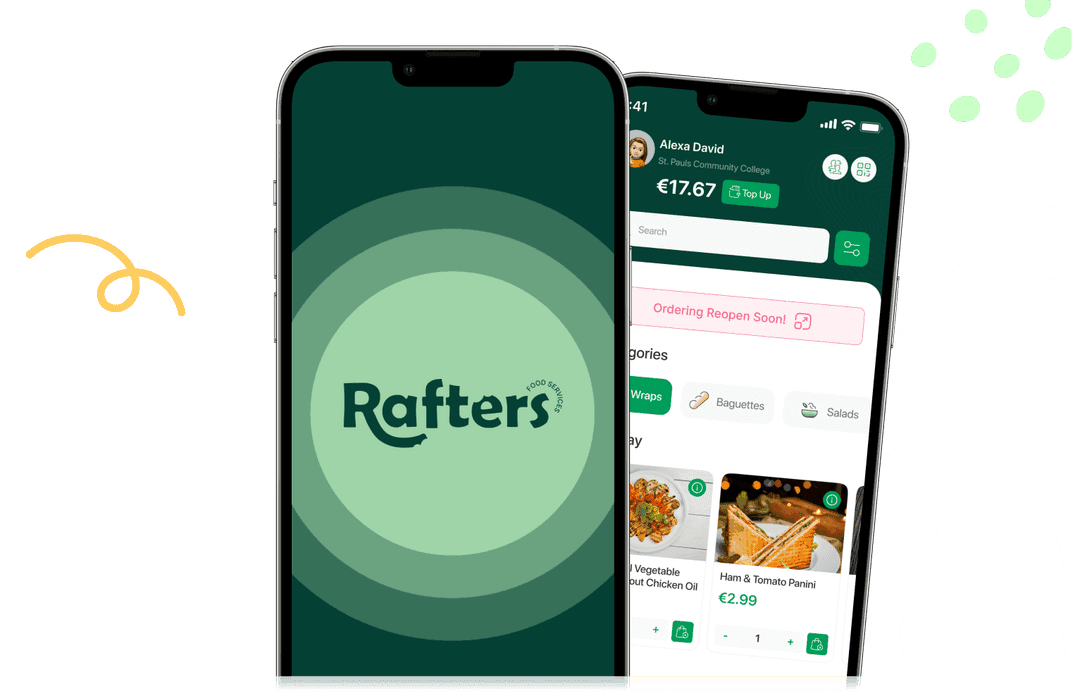
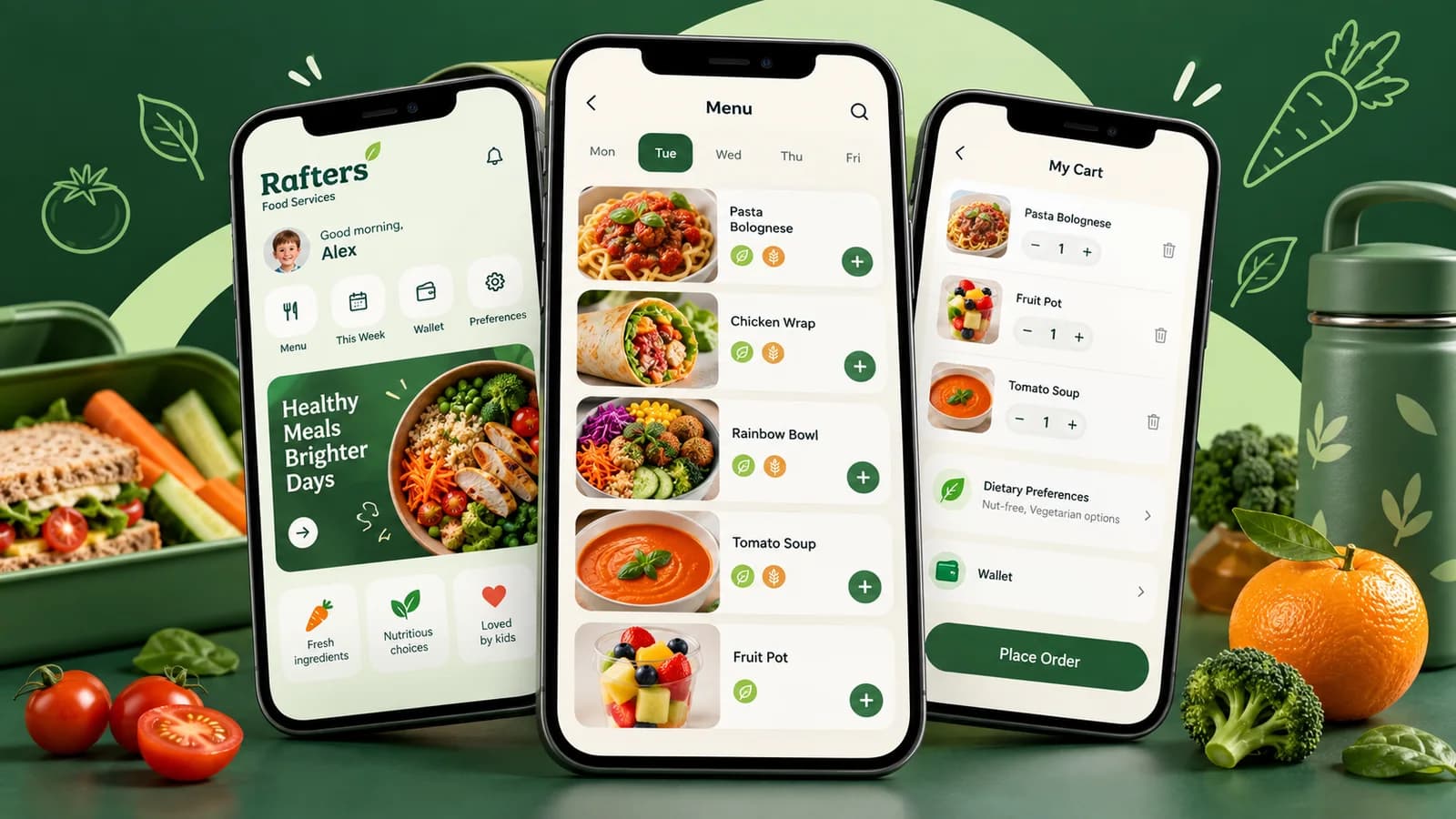
Repository-verified delivery notesRafters: ordering, payments and school operationsA school meal platform bringing ordering, allergy management, menus, payments and credits, rolling orders, notifications, chatbot support and an integrated staff room into one connected system.

School-specific ordering

Before
Orders arrived through calls and paper forms, while school requirements had to be handled manually.
What we built
A shared platform with school-specific menus, pricing, cut-off times and staff roles.
How it works
The Next.js website and React Native apps use one Django REST API. School context determines the menu and ordering experience.
After
Parents and school teams work within the same ordering platform, with an experience tailored to their school.

Workflow overview

  1. 1.School and student
  2. 2.Relevant menu
  3. 3.Order
  4. 4.School operations
Explore our web development service

Payments and credits

Before
Staff handled payments manually alongside the daily ordering workload.
What we built
Stripe card payments, account credits, wallet top-ups and refunds across web and mobile.
How it works
Customers can pay by card or use available credits. The app displays the credit balance and checks that it covers the order before allowing credit payment.
After
Customers can manage their balance and pay for meals within the same ordering journey.

Workflow overview

  1. 1.Choose meals
  2. 2.Card or credits
  3. 3.Confirm payment
  4. 4.View balance
Explore our e-commerce development service

Allergy management

Before
Each student's dietary requirements needed to be carried through menu selection and meal preparation.
What we built
Individual allergy profiles alongside meal allergen, ingredient and nutritional information.
How it works
The ordering experience uses the selected student's allergy profile to filter incompatible menu items. Meal details also show allergen information before ordering.
After
Dietary requirements are part of the ordering workflow, helping families choose suitable meals for each child.

Workflow overview

  1. 1.Student allergy profile
  2. 2.Filtered menu
  3. 3.Review meal details
  4. 4.Choose meal
Explore our app development service

Menu management

Before
Different schools needed different menus, prices and meal schedules while sharing one ordering platform.
What we built
Central menu management with school assignments, meal categories, pricing, ingredients, allergens and menu cycles.
How it works
Administrators manage menus and their schedules. The shared API returns the active weekly menu for the selected school, including meal details and prices.
After
Teams manage school menus centrally, and families see the relevant meals in the web and mobile ordering journeys.

Workflow overview

  1. 1.Manage meals
  2. 2.Assign school and schedule
  3. 3.Activate menu
  4. 4.Web and app ordering
Explore our web development service

Rolling orders

Before
Families had to repeat weekly lunch selections and keep track of ordering cut-off times.
What we built
Recurring weekly meal preferences for each child, with controls to enable or disable rolling orders.
How it works
Parents save weekly lunch preferences. The platform uses those preferences to generate recurring orders and handle charging automatically.
After
Families can maintain a regular lunch routine with less repeated order entry.

Workflow overview

  1. 1.Select child
  2. 2.Save weekly preferences
  3. 3.Enable rolling orders
  4. 4.Automatic orders and charging
Explore our app development service

Notifications

Before
School meal communications needed to reach families alongside their ordering activity.
What we built
In-app notifications and push delivery, with campaign scheduling and per-user read tracking.
How it works
The notification engine delivers messages through Firebase Cloud Messaging. Users can open notifications in the app, while the platform records read status.
After
Families can receive updates and revisit messages within the same app they use to order meals.

Workflow overview

  1. 1.Create message
  2. 2.Schedule delivery
  3. 3.Push and in-app notification
  4. 4.Open and track read status
Explore our app development service

Support chatbot

Before
Questions about orders, menus and top-ups required a convenient support route within the platform.
What we built
An integrated Rafters assistant with suggested FAQs and conversational support.
How it works
Users open the assistant in the app, choose an FAQ or type a question. The chatbot sends the question and conversation history to the shared support API and displays the response.
After
Customers can ask for help while using Rafters, with answers available in the same interface.

Workflow overview

  1. 1.Open assistant
  2. 2.Choose FAQ or ask question
  3. 3.Support API response
  4. 4.Continue conversation
Explore our artificial intelligence service

Integrated staff room

Before
Staff needed a central place to access workplace documents and keep track of what they had reviewed.
What we built
A staff room connected to staff accounts, with a document dashboard and individual document views.
How it works
Staff sign in to access their assigned documents. The dashboard shows whether each document has been viewed, and administrators manage staff documents within the platform.
After
Workplace information and document viewing status sit within the wider Rafters system.

Workflow overview

  1. 1.Staff sign-in
  2. 2.Assigned documents
  3. 3.Read document
  4. 4.Track viewing status
Explore our web development service

From paid order to meal collection

Before
Paper-based orders and spreadsheet inventory left staff coordinating preparation and collection manually.
What we built
Kitchen manifests, inventory tools and QR-based collection checks.
How it works
Scheduled jobs prepare operational outputs. At collection, the application checks the student's scan against the day's paid orders.
After
Kitchen preparation and collection use the order information already captured by the platform.

Workflow overview

  1. 1.Paid orders
  2. 2.Kitchen manifest
  3. 3.Meal preparation
  4. 4.QR collection check
Explore our e-commerce development service
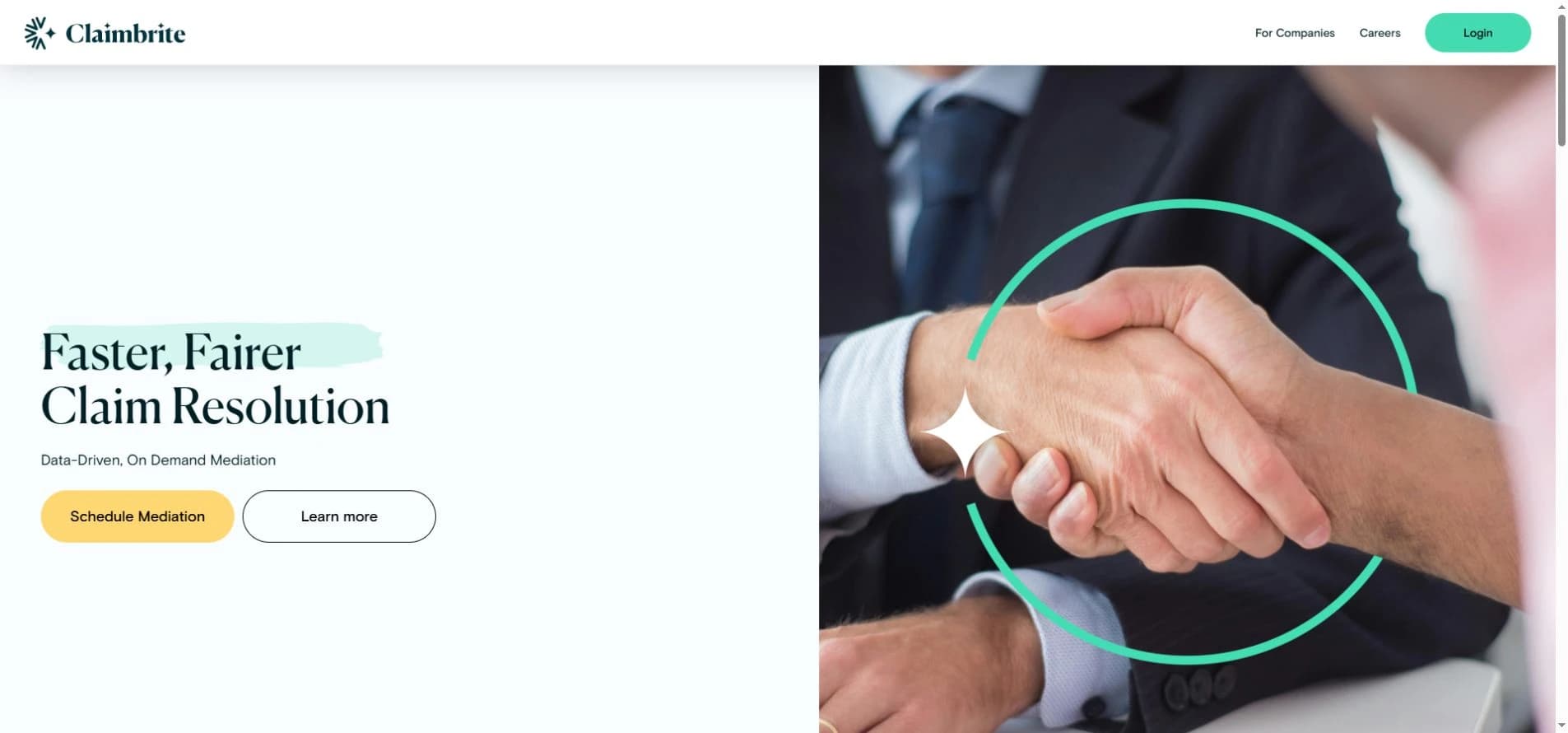
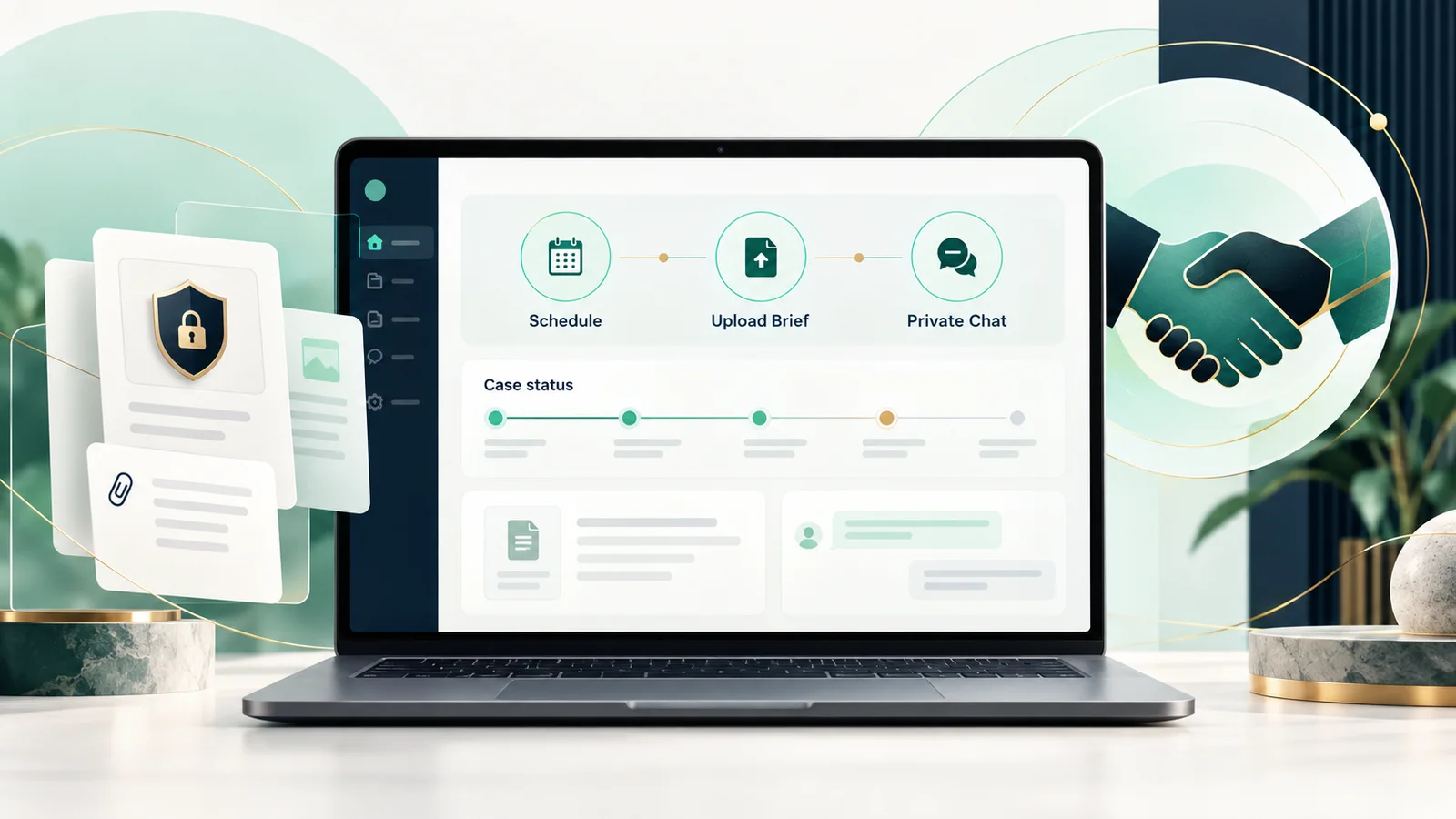
Public product-journey notesClaimbrite: a guided digital mediation journeyA structured claims-mediation experience that brings scheduling, case information and private communication into one clear journey.
Source: Claimbrite public product journey

Mediation scheduling

Before
Coordinating mediation can require repeated communication between the parties before the session can begin.
What we built
A guided scheduling step that supports starting immediately or inviting opposing counsel.
How it works
The public journey begins with Schedule Mediation, giving a user a direct next step and a clear route for involving the other party.
After
The mediation process starts from one defined action instead of an unclear hand-off between separate channels.

Workflow overview

  1. 1.Start mediation
  2. 2.Invite the other party
  3. 3.Confirm scheduling
  4. 4.Continue to the case brief
Explore our ui/ux design service

Mediation brief upload

Before
Facts, arguments, medical records, evidence and reports can arrive as a fragmented collection of case material.
What we built
A dedicated brief-upload stage that gives the mediation journey a clear place for supporting information.
How it works
The public product flow asks the user to upload the mediation brief after scheduling so the relevant material is connected to the case journey.
After
Case information moves through a defined submission step before the private mediation conversation begins.

Workflow overview

  1. 1.Prepare case material
  2. 2.Upload mediation brief
  3. 3.Associate it with the case
  4. 4.Proceed to mediation
Explore our artificial intelligence service

Private mediation chat

Before
A sensitive claims discussion needs a clear, confidential space rather than an informal mix of email and general messaging tools.
What we built
A private chat stage presented as the place where real-time mediation takes place with the mediator.
How it works
After scheduling and brief submission, the public journey moves the participants into Claimbrite's private chat experience for the mediation conversation.
After
Scheduling, case material and the mediation conversation form one understandable end-to-end product journey.

Workflow overview

  1. 1.Open the case
  2. 2.Enter private chat
  3. 3.Mediate in real time
  4. 4.Work toward resolution
Explore our cybersecurity service
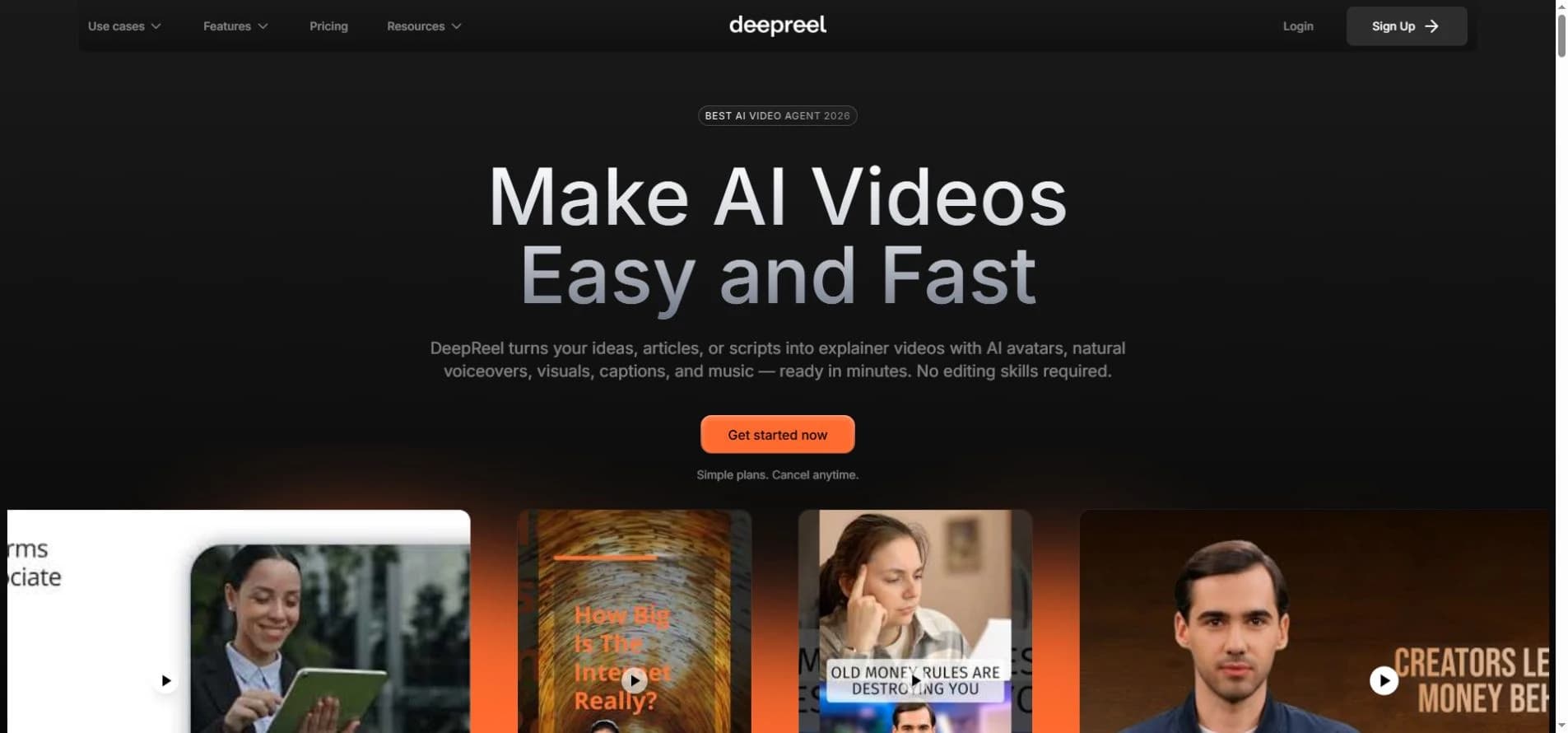
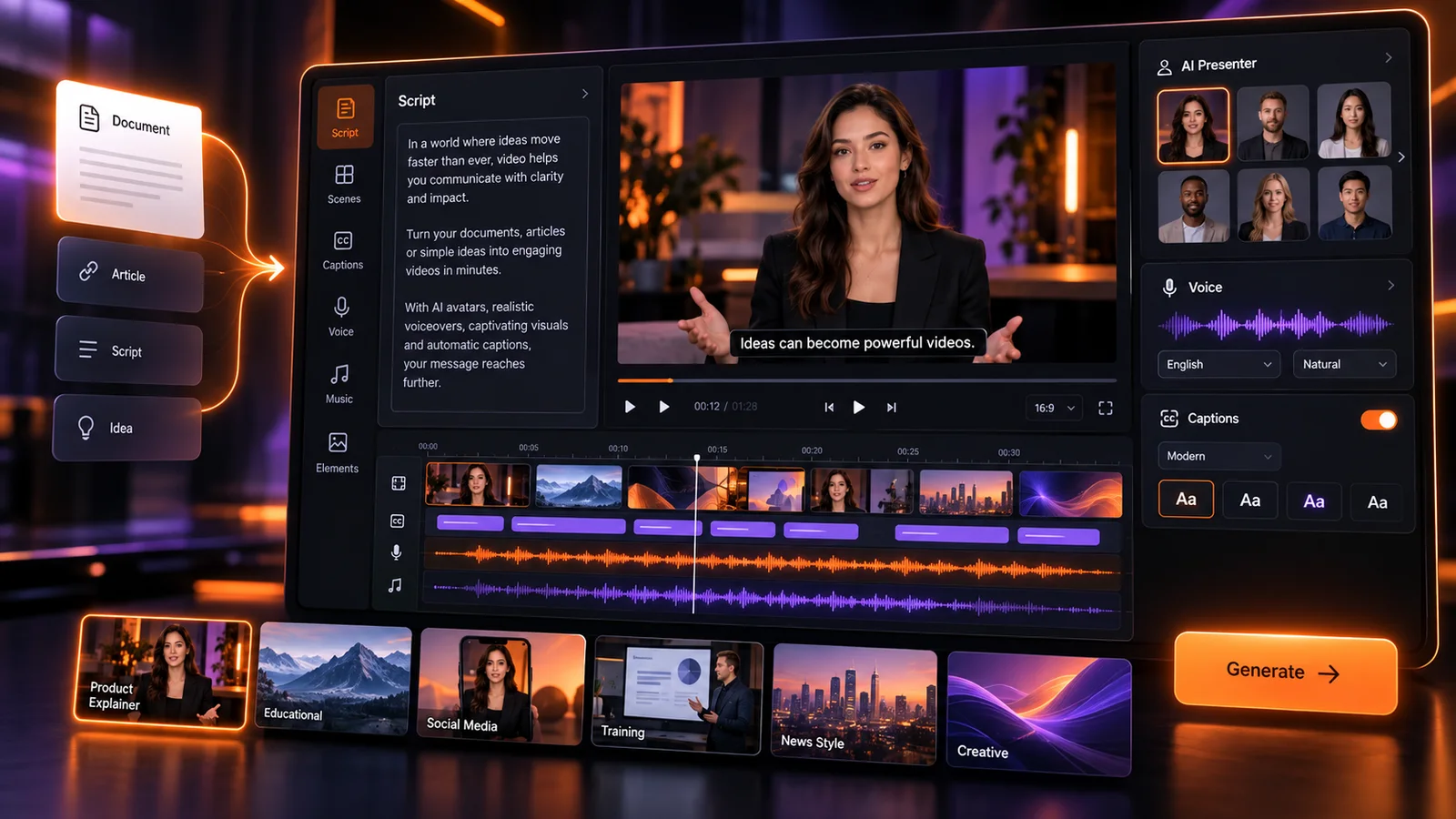
Public product-journey notesDeepReel: from source material to an editable video draftAn AI-assisted video creation journey that turns a prompt, script, article or document into a structured draft with visuals, voice and captions.
Source: DeepReel public product experience

Source-to-draft workflow

Before
Turning an idea, article or document into a video normally starts with separate scripting, storyboarding and asset-gathering work.
What we built
A guided starting point for prompts, scripts, blog content and uploaded documents.
How it works
The public DeepReel journey accepts source material, develops a script and assembles visuals, voiceover, captions and music into a first video draft.
After
A creator can move from source material to a reviewable draft within one product journey.

Workflow overview

  1. 1.Choose a source
  2. 2.Generate the script
  3. 3.Assemble the draft
  4. 4.Review the video
Explore our artificial intelligence service

Presenters, voice and visuals

Before
Traditional presenter-led video requires talent, recording, editing and a separate visual-production process.
What we built
A creation flow combining AI presenters or voiceovers with generated or selected visual material.
How it works
Users choose an avatar or voice approach, then DeepReel brings the script, presenter, visuals, captions and music together in the video draft.
After
Presenter-led content can be prepared without coordinating a conventional filming workflow.

Workflow overview

  1. 1.Choose presenter or voice
  2. 2.Set the visual direction
  3. 3.Generate media
  4. 4.Assemble the scenes
Explore our graphic design service

Language and regional localisation

Before
Producing the same message for different markets can require separate scripts, voice talent and editing passes for every language.
What we built
A multilingual video path that combines translated content with region-appropriate voices and presenters.
How it works
The public product experience supports creating presenter-led videos in multiple languages and adapting the script and voice for the intended audience.
After
A core video concept can be prepared for several audiences without restarting the production journey for every market.

Workflow overview

  1. 1.Choose target audience
  2. 2.Localise the script
  3. 3.Select language and voice
  4. 4.Generate the localised video
Explore our artificial intelligence service

Review, edit and publish

Before
Generated video elements still need a clear review step before the finished content is ready for an audience.
What we built
An editor-led review stage for refining the draft and preparing the finished video for publishing.
How it works
The public workflow presents a draft for review and editing after generation, with the finished result available for export and use across content channels.
After
Generation and human review remain connected instead of treating the first AI output as the final deliverable.

Workflow overview

  1. 1.Open the generated draft
  2. 2.Review scenes and script
  3. 3.Make edits
  4. 4.Export or publish
Explore our ui/ux design service
Public product and documentation notesNomod: payment links, checkout and payment operationsA connected payment experience for creating shareable links, accepting online payments and reviewing transaction activity across a business.
Source: Nomod product documentation

Shareable payment links

Before
A business taking orders through chat or social channels needs a simple way to turn a conversation into a payable request.
What we built
A guided Link flow for defining an item, price and optional payment details before sharing the payment request.
How it works
The public Nomod flow lets a user create a Link, add items and options, then share it through WhatsApp, Instagram, email or another messaging channel.
After
A remote customer can move from a message to a dedicated payment experience without a manually arranged card transaction.

Workflow overview

  1. 1.Create a Link
  2. 2.Add item and amount
  3. 3.Choose payment options
  4. 4.Share with the customer
Explore our e-commerce development service

Connected online checkout

Before
Online stores and custom applications need a consistent payment step connected to their existing order journey.
What we built
Checkout connections for Shopify, WooCommerce, hosted checkout, websites and applications.
How it works
A business connects its store or creates an API key for hosted checkout. Orders then appear in the Checkout activity view with amount, store, currency and status.
After
Online orders and their payment state can be reviewed through one connected checkout experience.

Workflow overview

  1. 1.Connect the store or app
  2. 2.Present payment options
  3. 3.Customer completes checkout
  4. 4.Review the order status
Explore our e-commerce development service

Payment activity and status

Before
Payments arriving through links, invoices, checkout and in-person collection can be difficult to reconcile across separate views.
What we built
A consolidated activity view for payments, refunds and transaction details across the account and team.
How it works
Nomod's documented activity journey shows transaction date, amount, payment method, type, team member and status, with filters for narrowing the list.
After
Teams can review payment activity and identify paid, authorised, cancelled, failed or refunded transactions from one operational view.

Workflow overview

  1. 1.Open activity
  2. 2.Filter transactions
  3. 3.Review status and method
  4. 4.Open the payment detail
Explore our ui/ux design service

Invoices, refunds and follow-up

Before
Payment follow-up becomes fragmented when invoices, overdue balances and refunds are handled outside the main payment record.
What we built
Documented invoice and payment-management views with paid, unpaid, overdue and cancelled states plus refund controls.
How it works
Teams can create one-time or recurring invoices, monitor their status, open payment details and manage follow-up actions from the dashboard.
After
The payment request, its current state and any refund or follow-up action remain connected in the operating workflow.

Workflow overview

  1. 1.Create invoice
  2. 2.Track payment status
  3. 3.Follow up or collect
  4. 4.Refund when required
Explore our forward deployed engineering service
Published case-study notesTKutz: booking and staff coordinationA mobile-first booking experience designed around the customer journey and the shop's daily schedule.

Bookings outside opening hours

Before
Customers relied on phone calls and walk-ins, so a missed call could become a missed booking.
What we built
A mobile-first website with integrated online booking.
How it works
The booking journey is part of the website, allowing customers to make a booking from their phone without a separate custom app.
After
Customers can use the online booking journey outside shop opening hours.

Workflow overview

  1. 1.Visit website
  2. 2.Choose booking
  3. 3.Submit details
  4. 4.Confirmation
Explore our web development service

Customer reminders and staff scheduling

Before
Paper scheduling and manual communication made coordination and no-shows harder to manage.
What we built
A staff scheduling interface and automated SMS confirmations and reminders.
How it works
Booking communication and the staff schedule are brought into the delivered booking experience.
After
Staff have a digital scheduling interface and customers receive booking messages automatically.

Workflow overview

  1. 1.Booking
  2. 2.Staff schedule
  3. 3.Confirmation
  4. 4.Reminder
Explore our ui/ux design service
Published case-study notesChasing Sunsets: catalogue, enquiries and administrationA charter platform combining the customer-facing fleet catalogue with tools for managing enquiries and bookings.

Fleet discovery and enquiries

Before
Enquiries were handled over WhatsApp and email without a website showcasing the fleet.
What we built
A curated boat catalogue and dedicated enquiry flows.
How it works
A Next.js frontend presents the boats and captures enquiries, backed by a Django REST API.
After
Guests can explore the fleet and send an enquiry through the same platform.

Workflow overview

  1. 1.Browse fleet
  2. 2.Explore boat
  3. 3.Send enquiry
  4. 4.Team follow-up
Explore our web development service

Booking and content administration

Before
The team had no admin tool to track bookings and relied on manual coordination.
What we built
A booking dashboard, photo management and automated email confirmations.
How it works
An authenticated admin experience uses JWT authentication and the Django API to support booking and content workflows.
After
The team can manage the catalogue and booking workflow through dedicated administration tools.

Workflow overview

  1. 1.Authenticated team
  2. 2.Manage booking
  3. 3.Update content
  4. 4.Send confirmation
Explore our ui/ux design service
More evidenceOpen additional documented case studies

Featured case studies

Deep dives into our most impactful projects across Ireland.

Dublin, Ireland
Food Services

Rafters Food Services

See the features, implementation and before & after

60% faster order processing across 30+ schools

Challenge

Rafters were managing school lunch orders across 30+ schools via phone calls and paper forms. Inventory was tracked on spreadsheets, payments were manual, and staff spent hours each day on admin that should have been automated.

What we built

We built the whole system end to end: a multi-tenant Django platform serving a Next.js web app and native iOS and Android apps from one API. Parents, teachers, canteen staff, managers, workers and administrators each get their own role-scoped experience across primary and secondary schools — with real-time ordering, Stripe payments, allergen-aware menus, automated inventory and a full analytics layer behind it.

Under the hood
  • Multi-tenant architecture — every school runs its own menus, cut-off times, pricing and staff hierarchy from a single shared platform
  • Native iOS and Android apps in React Native, sharing one Django REST API with the web platform
  • Rolling orders — parents set a recurring weekly lunch preference per child and the system generates and charges the orders automatically
  • Payments and credits — Stripe card payments on web and in-app, account credit balances, wallet top-ups and refunds
  • Menu management — school-specific meal categories, prices, ingredients, allergens and scheduled menu cycles
  • Allergen management down to the individual student, so unsafe items are filtered out of a child's menu before they can be ordered
  • Push notification engine with campaigns, scheduling, per-user read tracking and Firebase Cloud Messaging delivery to both app stores
  • Referral programme with unique codes, Branch.io deep links, earnings tracking and withdrawal requests
  • Promotions and loyalty engine with per-user redemption rules and usage limits
  • QR code check-in — students collect meals by scanning at the canteen, verified in-app against the day's paid orders
  • Manager bulk-ordering flow for staff and whole-class orders, separate from the parent journey
  • Worker and HR document tracking with per-document approval states for canteen compliance
  • Integrated staff room — staff sign in to access assigned workplace documents, with viewed and unread status tracking
  • Built-in support chatbot with an FAQ knowledge base and lead capture
  • Single sign-on via Google, Apple and Microsoft (Azure AD) so school accounts work out of the box
  • Automated Excel and branded PDF reporting for kitchens and school administrators
  • Scheduled cron jobs for daily order cut-offs, kitchen manifests and reconciliation
  • Forced app-version gating so every device is on a supported build before it can order
  • Migrated to PostgreSQL on AWS EC2 with scripted backup and restore
Stack
Next.jsReact 19React NativeDjangoDjango REST FrameworkPostgreSQLStripeFirebase Cloud MessagingRedux ToolkitAWS EC2TypeScript
0%
faster order processing
0%
payment success rate
0%
increase in customer retention
0%
less admin overhead

“Elephantfly transformed our vision into a stunning, user-friendly product. Their creativity, attention to detail, and seamless communication made the entire process stress-free and efficient.”

Trish Colbert

Co-Founder & CEO, Rafters

Web DevApp DevE-commerceAutomationPaymentsBranding
Dublin, Ireland
Barber & Grooming

TKutz Barbers

See the features, implementation and before & after

80% of bookings moved online in 6 weeks

Challenge

Double bookings, missed calls, and no-shows were costing TKutz hours every week. Staff scheduling was done on paper and customers had no way to book outside business hours.

What we built

We delivered a mobile-first website with integrated online booking, automated SMS confirmations and reminders, a staff scheduling interface, and a clean brand-matching design that works on every device.

0%
of bookings now online
0%
reduction in no-shows
0hrs
saved on admin per day
0★
Google rating maintained

“The double-bookings and missed calls just stopped. Most of our clients book themselves in now, even after hours, and we've got a few hours back every day to focus on the shop. Easily the best decision we made this year.”

Aso

Owner, TKutz Barbers

Web DevBookingMobileStaff ManagementPayments
Ibiza, Spain
Luxury Travel & Hospitality

Chasing Sunsets Ibiza

See the features, implementation and before & after

Full-stack charter platform with 100+ trips delivered

Challenge

Chasing Sunsets were managing all enquiries and bookings manually over WhatsApp and email. They had no website to showcase their fleet, no way to capture leads efficiently, and no admin tool to track bookings — making it impossible to scale.

What we built

We designed and built a full-stack platform: a premium Next.js frontend with a curated boat catalogue, enquiry flows, and testimonials page — backed by a Django REST API with JWT auth, a photo management system, booking dashboard, and automated email confirmations.

0+
trips delivered through platform
0%
repeat guest rate
0★
average guest rating
<0min
average enquiry response time

“The booking process was effortless and the boat exceeded expectations. It felt premium from start to finish.”

Sophie M.

Guest, Dublin

Web DevApp DevBooking PlatformAdmin DashboardBranding
Dublin, Ireland
HR & Recruitment Tech

NexFlow AI

AI hiring agent cuts screening time by 70%

Challenge

NexFlow's team were spending 3–4 days per week manually screening CVs, chasing candidates, and coordinating interview slots. Slow response times were costing them top-tier talent to faster-moving competitors.

What we built

We built a custom AI agent integrated directly into their hiring workflow — screening CVs against role criteria, sending personalised status updates, booking interview slots via calendar API, and escalating shortlisted candidates to human reviewers with full context summaries. No candidate left waiting more than 15 minutes for a response.

0%
less time spent on screening
0×
faster time-to-hire
0%
candidate satisfaction score
€0k+
estimated annual saving

“The AI agent handles everything we used to spend Monday mornings doing. Our team now focuses on the humans — not the admin.”

Niamh Byrne

Head of Talent, NexFlow AI

AI AgentsAutomationWeb DevHR TechAPI Integration

See a project that resonates with your business?

Let's talk through what we could build for you.

Start a project

More client work

Hover (or scroll on mobile) to explore each project — branding, AI, apps, and marketing.

01 / Hospitality & TourismIbiza, Spain

Cruise Ibiza

3× organic enquiry growth in peak season

Explore project

A seasonal hospitality brand needed consistent digital presence, steady enquiry flow year-round, and premium print assets to showcase their fleet — not just a summer spike from paid ads.

organic enquiry growth
3×
Google rankings for target searches
Top 3
social engagement increase
2.4×
boat brochures produced
50+
  • SEO
  • Content
  • Social
  • Growth
  • Brochures
  • Print
02 / Education & HealthIreland

Growing Healthy Eaters

Brand clarity that doubled email sign-ups

Explore project

A nutrition education programme needed a brand and website that could clearly communicate its value to busy parents and generate steady course enrolments.

email sign-up rate
2×
reduction in bounce rate
55%
increase in course enrolments
38%
client satisfaction score
4.8★
  • Branding
  • Web
  • Design
  • UX
03 / Food & HospitalityDublin, Ireland

Bread & Bones

45% more direct reservations in 8 weeks

Explore project

A popular Dublin restaurant needed a website that matched the quality of their food — fast, mobile-friendly, and built to convert hungry visitors into confirmed bookings.

more direct reservations
45%
faster page load time
68%
for 'Dublin restaurant' searches
Top 5
mobile conversion increase
3.2×

“Great talent, great attention to detail and are very flexible in catering to your needs. Would never hesitate in recommending this agency. Looking forward to working with the guys again.”

Jack Fox
  • Web Dev
  • Branding
  • SEO
  • Design
04 / AI SaaS / TechDublin, Ireland

QueryBot AI

AI query platform built & launched in 10 weeks

Explore project

A Dublin AI startup needed their product turned into a polished SaaS platform — from landing page to authenticated dashboard — with a brand that matched the quality of their technology.

concept to live product
10wks
users onboarded at launch
500+
Product Hunt rating
4.9★
free-to-paid conversion
72%
  • AI Agents
  • SaaS
  • Web Dev
  • Branding
  • Dashboard

Our process

How we take a project from idea to live.

A structured process means no surprises — you know what's happening, when, and why. Every project follows the same five stages.

01

Discovery & Strategy

Week 1–2

We start by listening — understanding your business, your users, and the problem worth solving. We map out scope, timelines, and success metrics before we touch anything.

Scope document
Technical spec
Project roadmap
Fixed-price quote
02

Design & Architecture

Week 2–4

UI/UX design, system architecture, and content structure are finalized before build begins. You approve every major decision before a line of code is written.

Wireframes & prototypes
Design system
Architecture diagram
Content structure
03

Build & Test

Week 4–10+

Development in focused sprints with weekly check-ins. We build, test, and iterate — every feature is QA'd before it reaches you for review.

Sprint demos
Staging environment
QA testing reports
Performance audits
04

Launch

Final week

Go-live is planned, not rushed. We handle deployment, final testing, DNS setup, and make sure everything works across devices before the site is live.

Production deployment
Analytics setup
SEO configuration
Handover documentation
05

Support & Growth

Ongoing

We don't disappear after launch. Most clients stay with us for ongoing support, content updates, performance improvements, and new feature development.

Monthly retainers
Priority support
Performance reviews
Feature iterations

Technologies we build with

FrontendNext.jsFrontendReactFrontendTypeScriptFrontendTailwind CSSFrontendFramer MotionMobileReact NativeMobileExpoMobileFlutterFrontendPWAFrontendStorybookFrontendNext.jsFrontendReactFrontendTypeScriptFrontendTailwind CSSFrontendFramer MotionMobileReact NativeMobileExpoMobileFlutterFrontendPWAFrontendStorybook
BackendDjangoBackendNode.jsBackendFastAPIBackendPythonBackendPostgreSQLBackendMongoDBBackendRedisBackendGraphQLBackendSupabaseBackendFirebaseBackendREST APIBackendDjangoBackendNode.jsBackendFastAPIBackendPythonBackendPostgreSQLBackendMongoDBBackendRedisBackendGraphQLBackendSupabaseBackendFirebaseBackendREST API
AIOpenAIAIAnthropic ClaudeAILangChainAIPineconeAIHugging FaceAIOllamaPaymentsStripePaymentsPayPalPaymentsRevolut APIContentSanity CMSContentWordPressContentContentfulAIOpenAIAIAnthropic ClaudeAILangChainAIPineconeAIHugging FaceAIOllamaPaymentsStripePaymentsPayPalPaymentsRevolut APIContentSanity CMSContentWordPressContentContentful
DesignFigmaDesignAdobe CCInfraVercelInfraAWSInfraDockerInfraGitHub ActionsInfraCloudflareAnalyticsGoogle AnalyticsAnalyticsHotjarAnalyticsSentryAnalyticsDataDogDesignFigmaDesignAdobe CCInfraVercelInfraAWSInfraDockerInfraGitHub ActionsInfraCloudflareAnalyticsGoogle AnalyticsAnalyticsHotjarAnalyticsSentryAnalyticsDataDog
Ireland-based, globally capable

We're headquartered in Dublin and work with Irish SMEs every day — but we've also delivered projects in Spain, the UK, and beyond. Local understanding, international standard.

We measure what matters

Every case study on this page is tied to a real business outcome — not aesthetics. We set targets before we start and track results after we ship.

Built for the long term

Our clients come back because we build things that last — clean code, scalable architecture, and systems that grow with your business.

FAQ

Common questions, straight answers.

How long does a typical project take?

Most web projects ship in 4–8 weeks. More complex platforms — multi-tenant apps, SaaS products, AI systems — typically run 8–14 weeks. We give you a realistic timeline at the discovery stage and stick to it.

Do you work with early-stage startups or established businesses?

Both. We've built MVPs for founders who needed something live in 6 weeks, and we've delivered large platform rebuilds for companies with 10+ years of operations. The approach scales to where you are.

What makes you different from other Irish agencies?

We combine technical depth with commercial thinking. We don't just build what you ask for — we pressure-test the brief, flag things that won't work, and focus on outcomes rather than deliverables. We also specialise in AI-integrated systems, which most traditional agencies can't offer.

Can you take over a project started by another agency?

Yes. We do this regularly. We'll audit the existing codebase, give you an honest assessment of what's worth keeping and what needs to be rebuilt, and take it from there. No politics — just practical advice.

Do you offer ongoing support after the project launches?

Yes. Most clients move to a monthly retainer for support, content updates, performance monitoring, and new feature development. We don't disappear after launch — we treat it as the beginning, not the end.

Do you work with businesses outside Dublin?

Absolutely. We work with clients across Ireland — Cork, Galway, Limerick, and beyond — as well as internationally. Everything runs remotely with structured weekly check-ins, so location is no barrier.

Got a question not answered here? Send us a message

More from Elephantfly

Explore our articles and technical profile on other platforms.

Ready to build a secure, high-performance digital platform?

Talk to Elephantfly about your next website, platform, or security upgrade. We'll map the fastest path to launch.

See services